Roles within Eddy Overview
There are eight unique roles within Eddy that determine what a person can see and do. Each role has the ability to perform different functions, and a person can have one or more roles assigned at the same time.
The Roles in Eddy
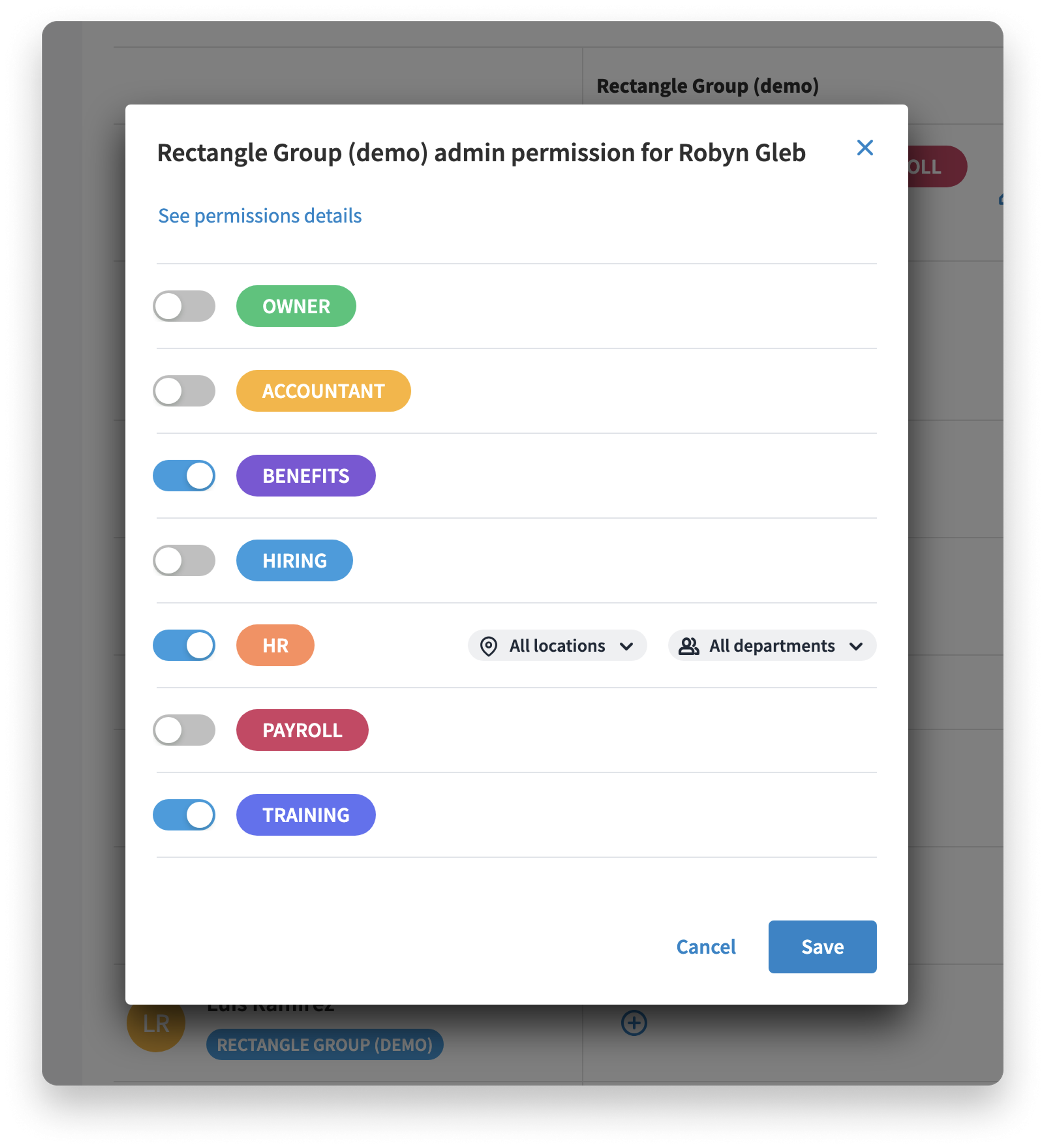
A person can have one or more roles assigned in Eddy. The available roles are:
- Employee
- Training Admin
- Hiring Admin
- HR Admin
- Accountant
- Payroll Admin
- Benefits Admin
- Account Owner
- Employee: The most basic role in Eddy is the Employee Role. The Employee Role is limited to their home screen, the employee directory, and their own profile. The Employee Role is the default role.
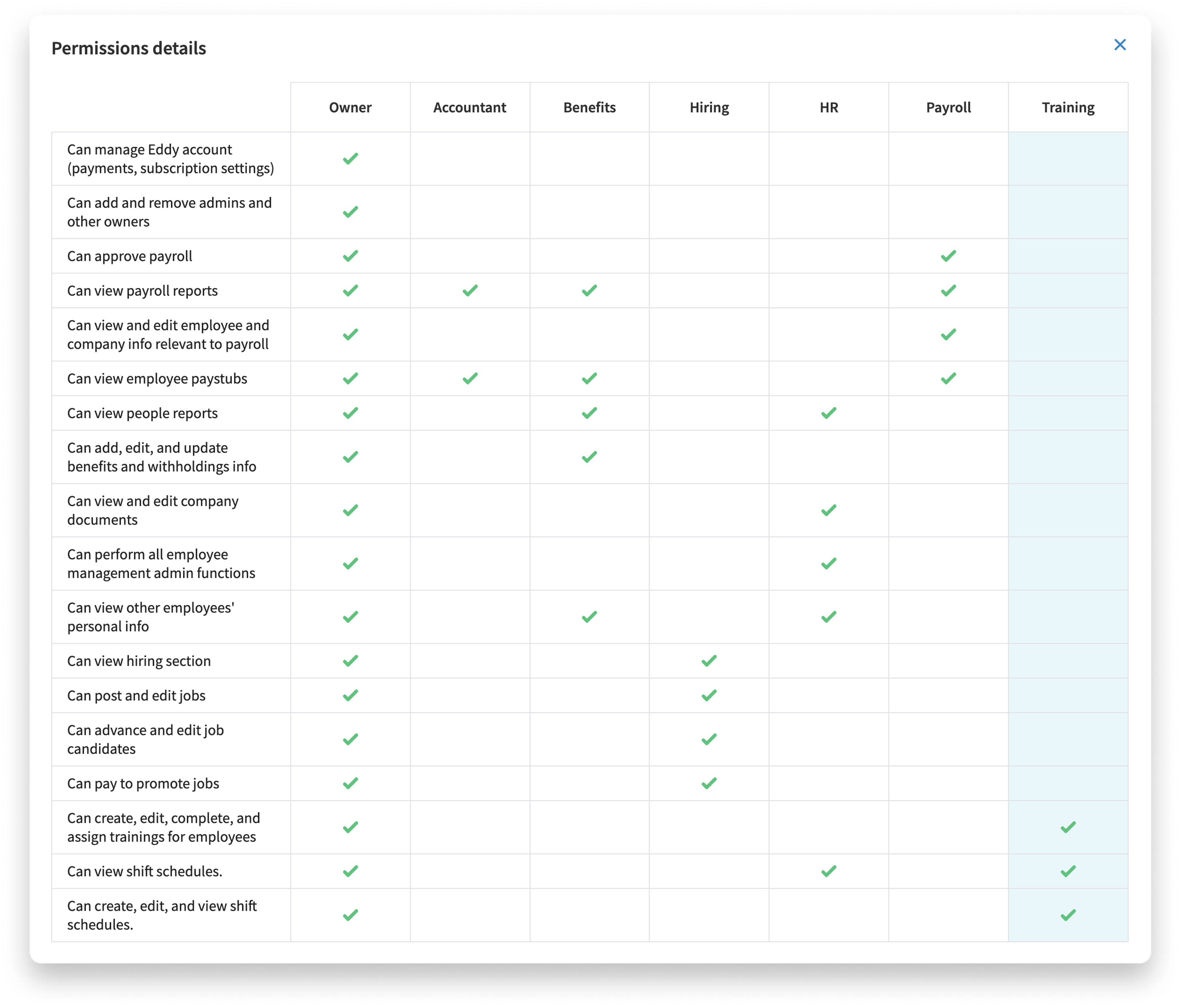
- Training Admin: Can create, edit, complete, and assign trainings for any worker.
- Hiring: The Hiring Admin role gives permission to access everything within the Hiring tab. However, outside of the Hiring Tab, they are as limited as a regular employee.
- HR Admin: The HR Admin role gives permission to access anything related to HR, including documents, time and attendance, employee information, and other admin functions. Those with HR Admin permission do not have the ability to access the Hiring tab unless they are added to a hiring team. Only then can they access the Hiring tab, but they are limited to the specific job(s) they are assigned to. An HR Admin can also be limited to specific locations and/or departments.
- Accountant: An Accountant can view payroll reports and employee paystubs. They cannot run or approve payroll and cannot edit employee or company information.
- Payroll Admin: A Payroll Admin can approve payroll, view payroll reports and employee paystubs, and view and edit employee and company information relevant to payroll.
- Benefits Admin: A Benefits Admin can add, edit, and update benefits and withholdings information. They can also view people reports, payroll reports, employee paystubs, and other employees' personal information.
- Owner: The Owner role is the most complete and encompassing role within Eddy. Owners can do anything and everything within the software. There are no restrictions on the Owner role.
👉 Note: You can have a combination of Admin roles. You can select this option by clicking both check boxes above each role at the top of the screen.
Was this article helpful?