Switching an hourly employee with multiple pay rates to salary
How to convert a multi-rate hourly employee to a salaried one
If an employee has more than one active hourly pay rate, you won't see a salary option when you try to change their pay type. This is expected.
A salary is a single fixed amount, so it can't be combined with multiple hourly rates that pay different amounts for different roles. Before you can switch the employee to salary, you'll need to disable their additional hourly rates so that only the regular hourly rate remains active.
Why the salary option is missing
When you open the edit dialog for a pay rate, the pay type list only shows salary if the employee has a single active rate. If you see hourly options but no salary option, it means the employee still has additional active hourly rates that need to be disabled first.
How to switch a multi-rate hourly employee to salary
- Go to the employee's Job tab and find the Compensation card.
- In Additional hourly rates, disable each additional rate. Select the ··· (more options) menu on the rate, then choose Disable. Repeat until all additional rates are disabled, leaving only the regular hourly rate active. Note: You can't disable the regular hourly rate — only additional rates. Once the additional rates are disabled, the regular rate is the one you'll convert to salary.
- Open the regular hourly rate by selecting the edit (pencil) icon on the Compensation card.
- In the New pay rate section, change the Pay type to salary.
- Enter the salary amount, confirm the effective date, and select Save changes.
Tip: Only additional rates can be disabled, so the regular hourly rate is always the one that gets converted to salary.
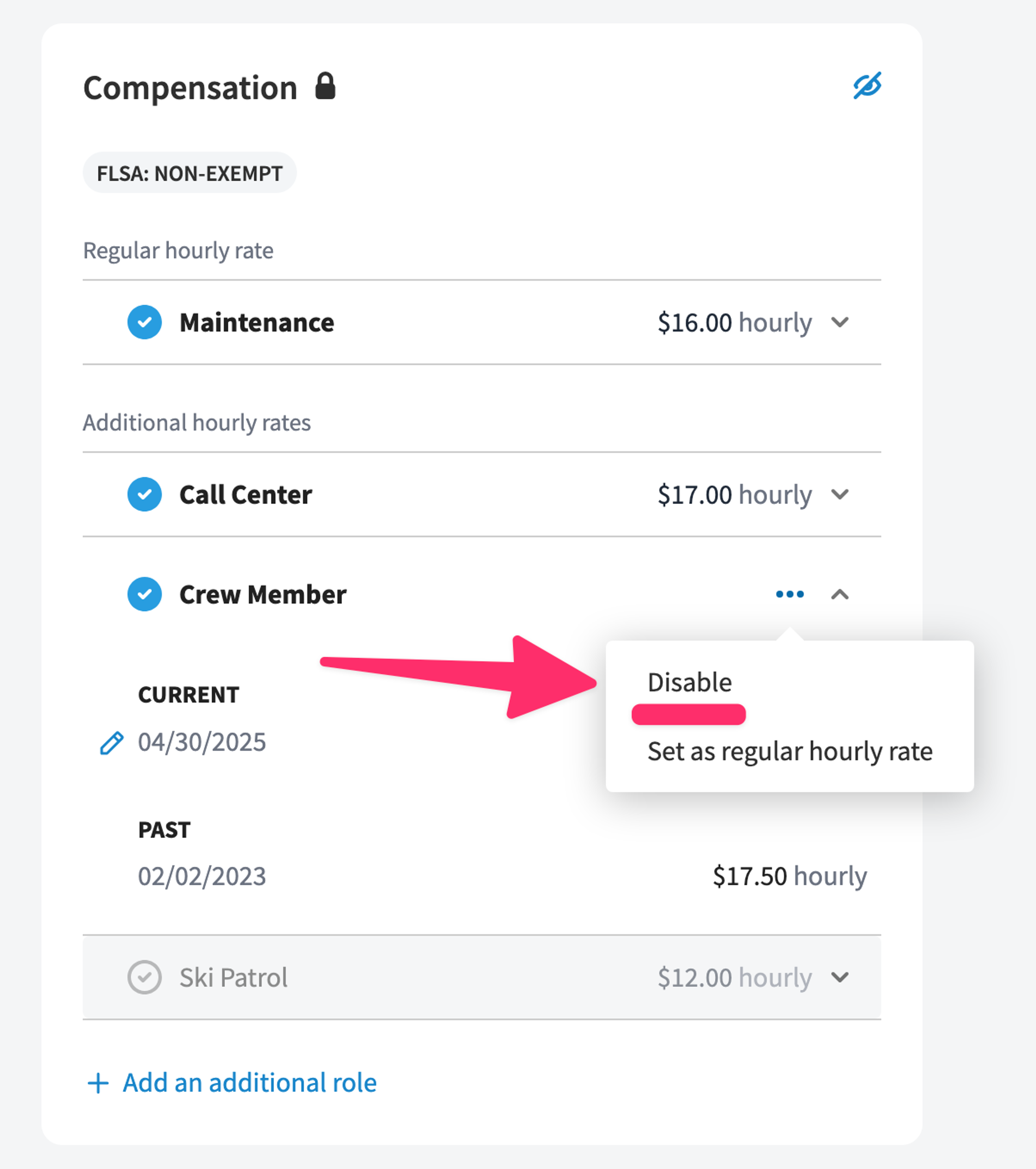
What happens to the disabled rates
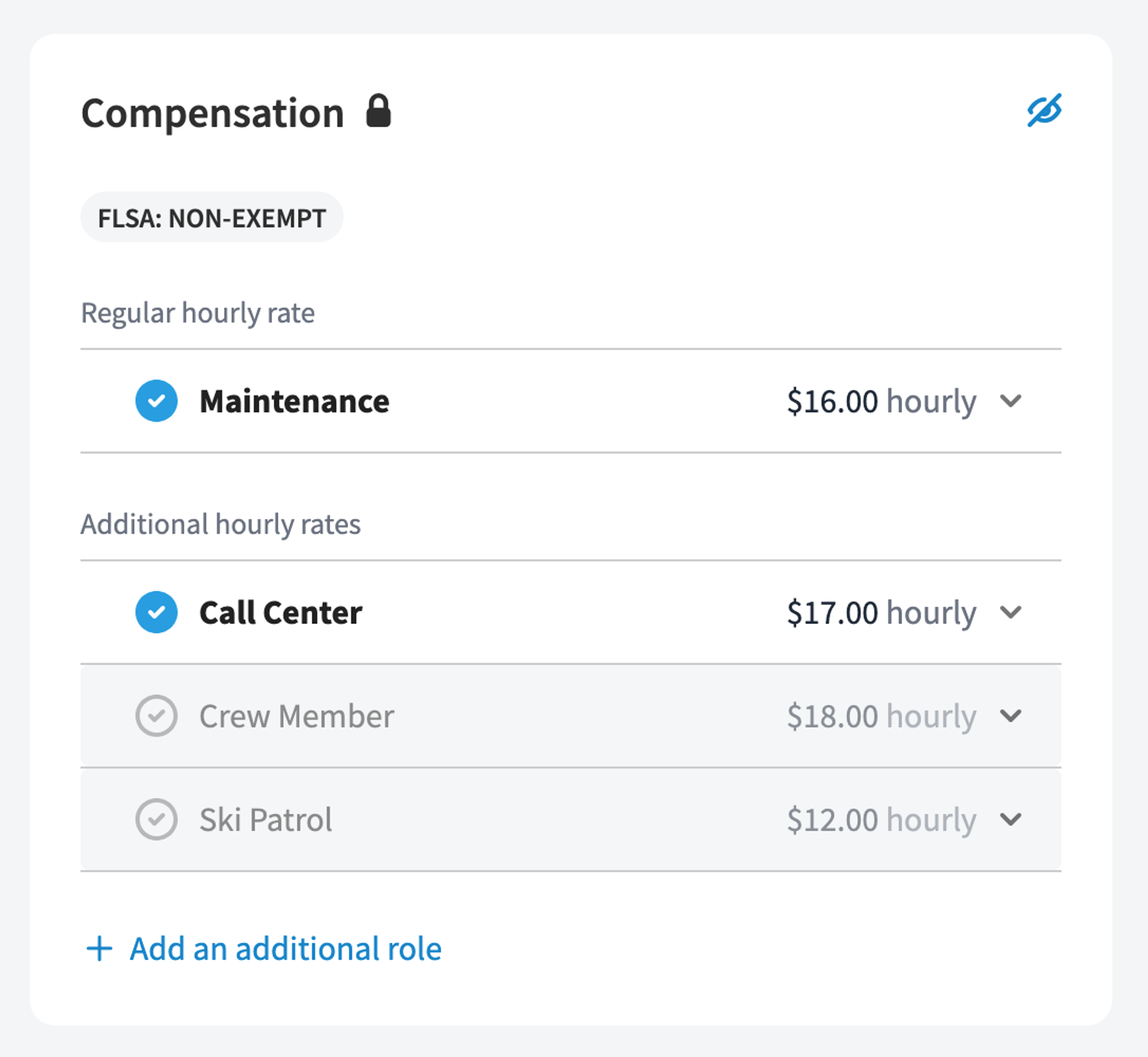
Disabling an additional hourly rate doesn't delete it. The rate becomes inactive and is removed from the employee's active compensation, but it stays on the record — it's archived, and the employee's pay rate history is preserved. A disabled rate appears grayed out in the Compensation card.
Need to reverse it?
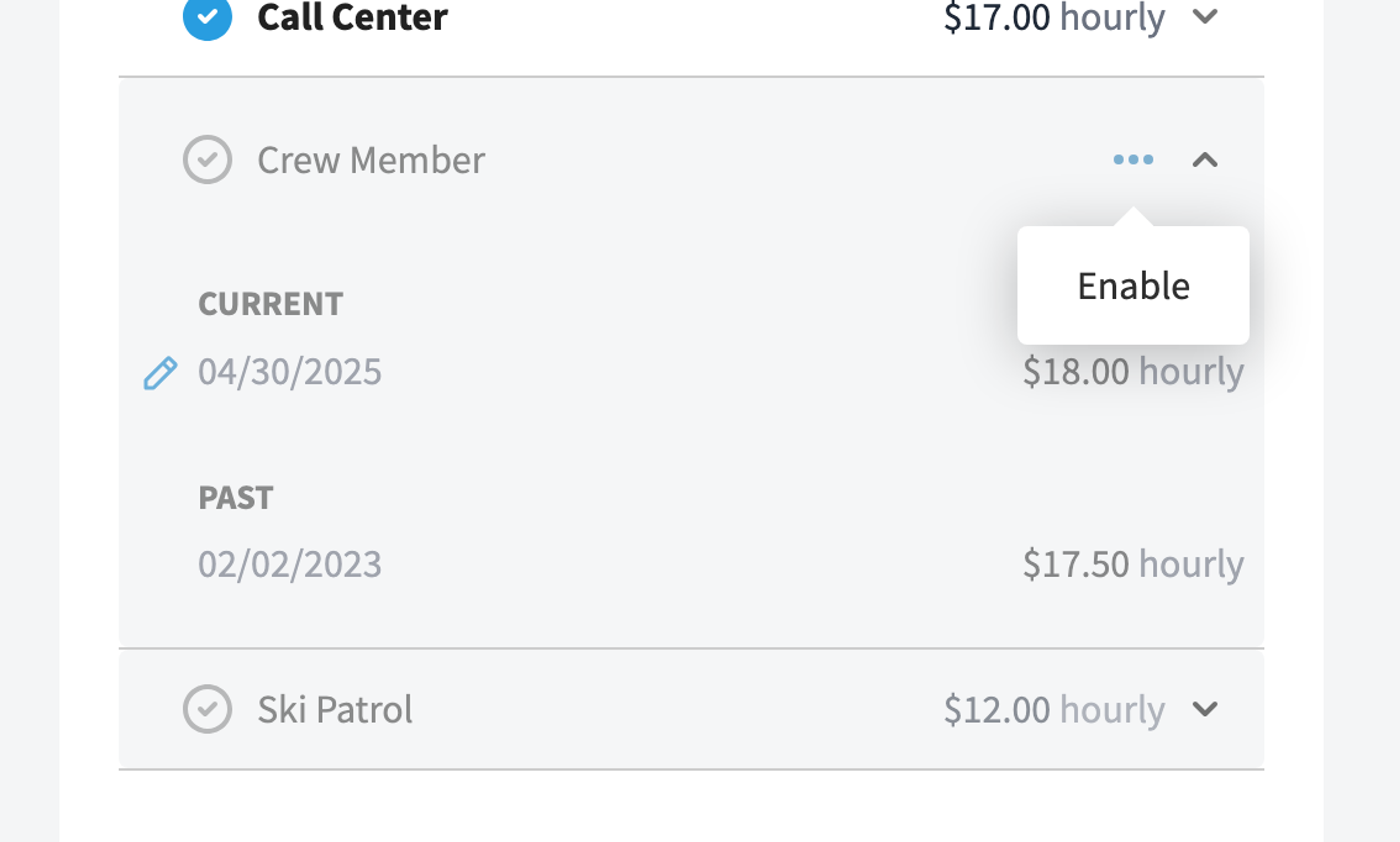
Because disabled rates are archived rather than deleted, you can re-enable one at any time from the Compensation card if you need it again.
Was this article helpful?