One-time income tax overrides
Adjust or block federal and state income tax withholding on a single payroll—for one employee or the whole run.
Who can use this feature?
Available with Payroll plan
Tax overrides let you change how much federal or state income tax is withheld on a specific payroll—either for everyone on an off-cycle payroll or for one employee at a time. This is useful for bonus and supplemental payrolls, or when income tax has already been handled another way.
Before you begin
- Overrides only affect federal and state income tax withholding. Social Security, Medicare, and other required taxes (FICA, FUTA, SUI, local taxes) are still withheld as usual.
- Wages are still reported on the employee's W-2.
- Only Federal Income Tax and State Income Taxes can be overridden. Any other tax is not eligible.
- There are two ways to apply an override:
- Payroll level — blocks federal and state income tax for everyone on the payroll. Available when setting up an off-cycle payroll only.
- Worker level — a one-time override for a single employee on a single payroll. Available on both regular and off-cycle payrolls.
Block income tax for an entire off-cycle payroll
- Start an off-cycle payroll.
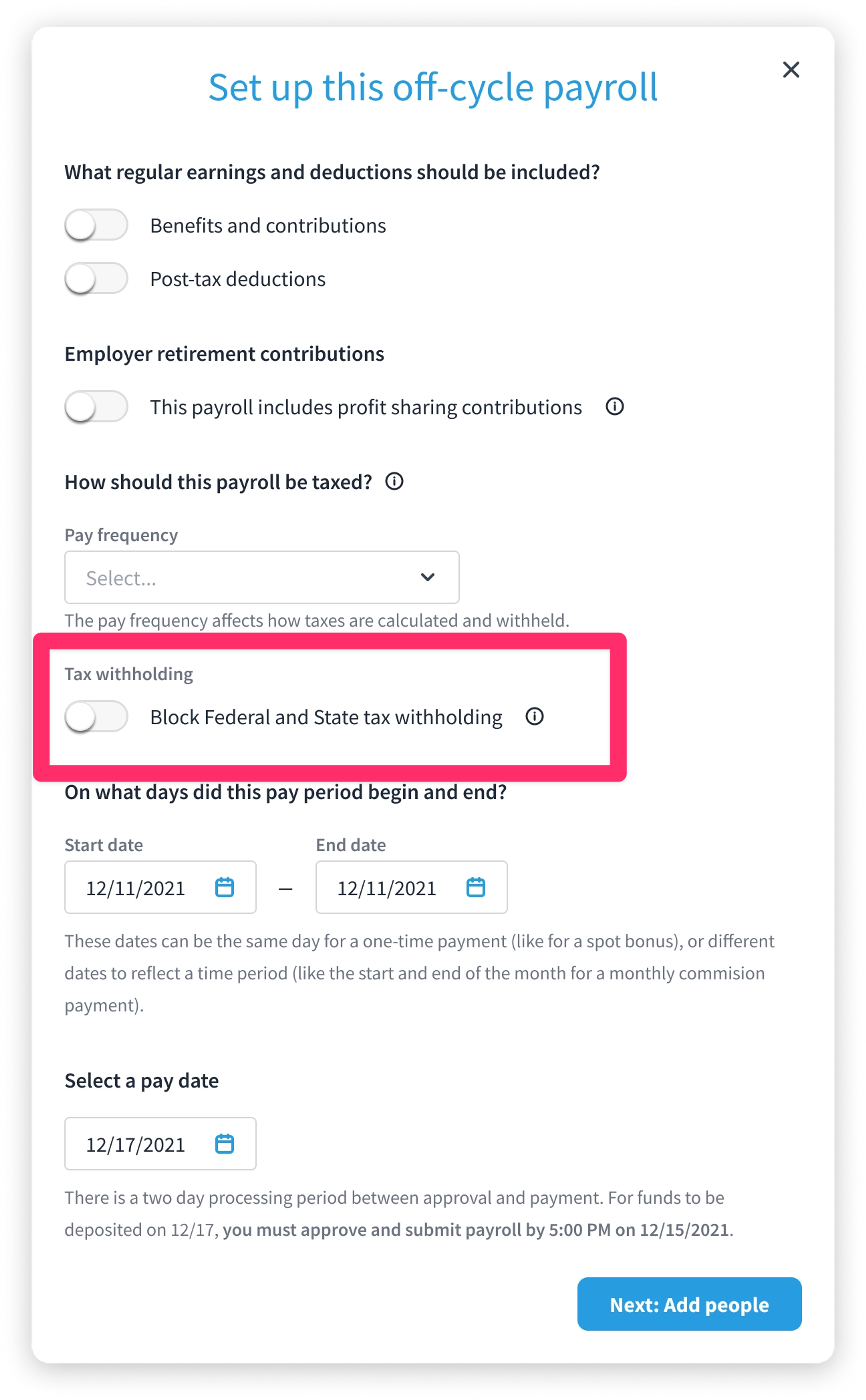
- On the Set up this off-cycle payroll screen, go to the Tax withholding section.
- Turn on Block Federal and State tax withholding.
- Finish setting up the payroll and continue with Next: Add people.
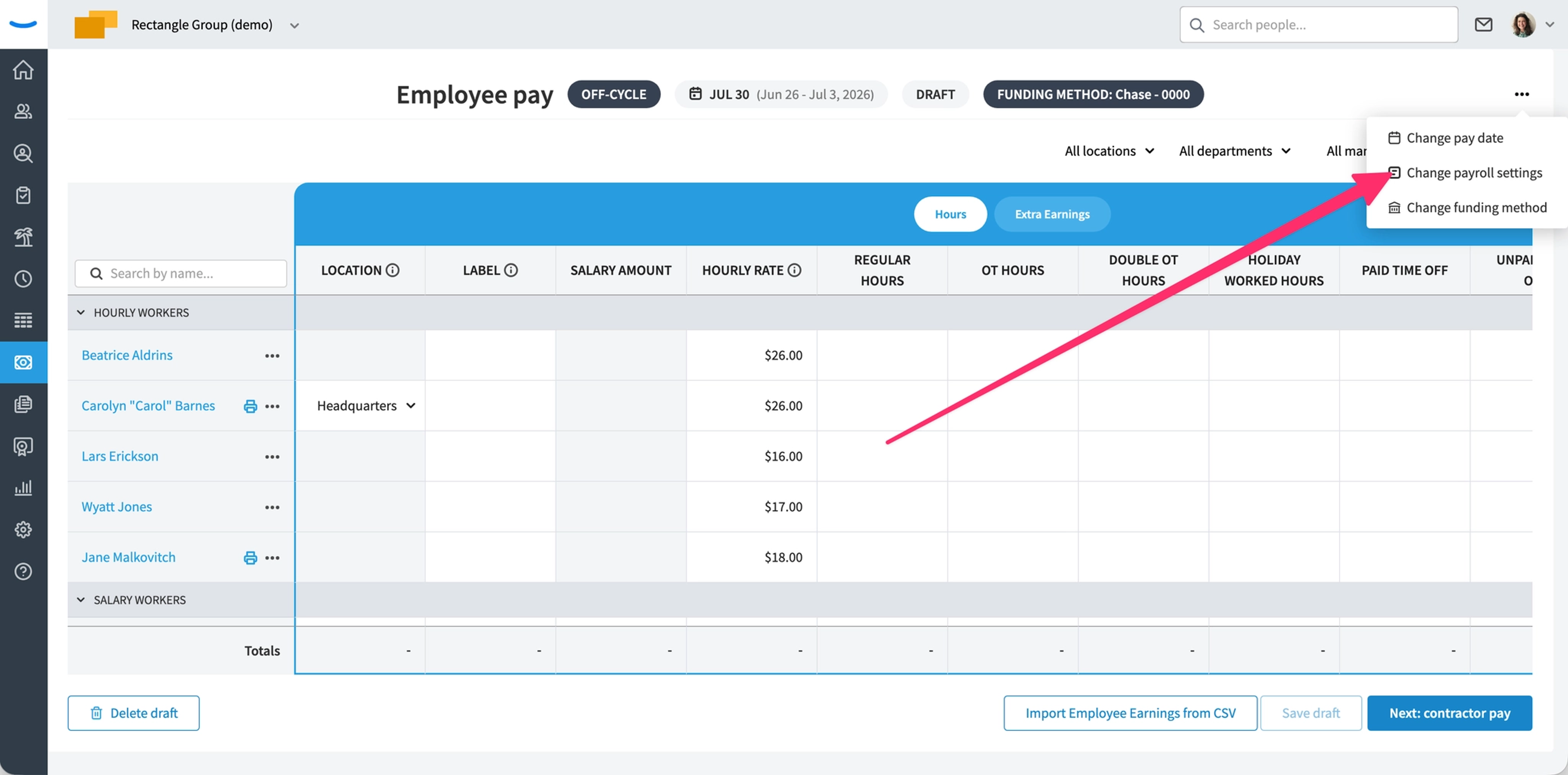
To change this after the draft is created, open the payroll draft, click the three-dot (...) menu, and select Change payroll settings.
Set a one-time override for a single worker
- Open the payroll and find the employee in the worker list.
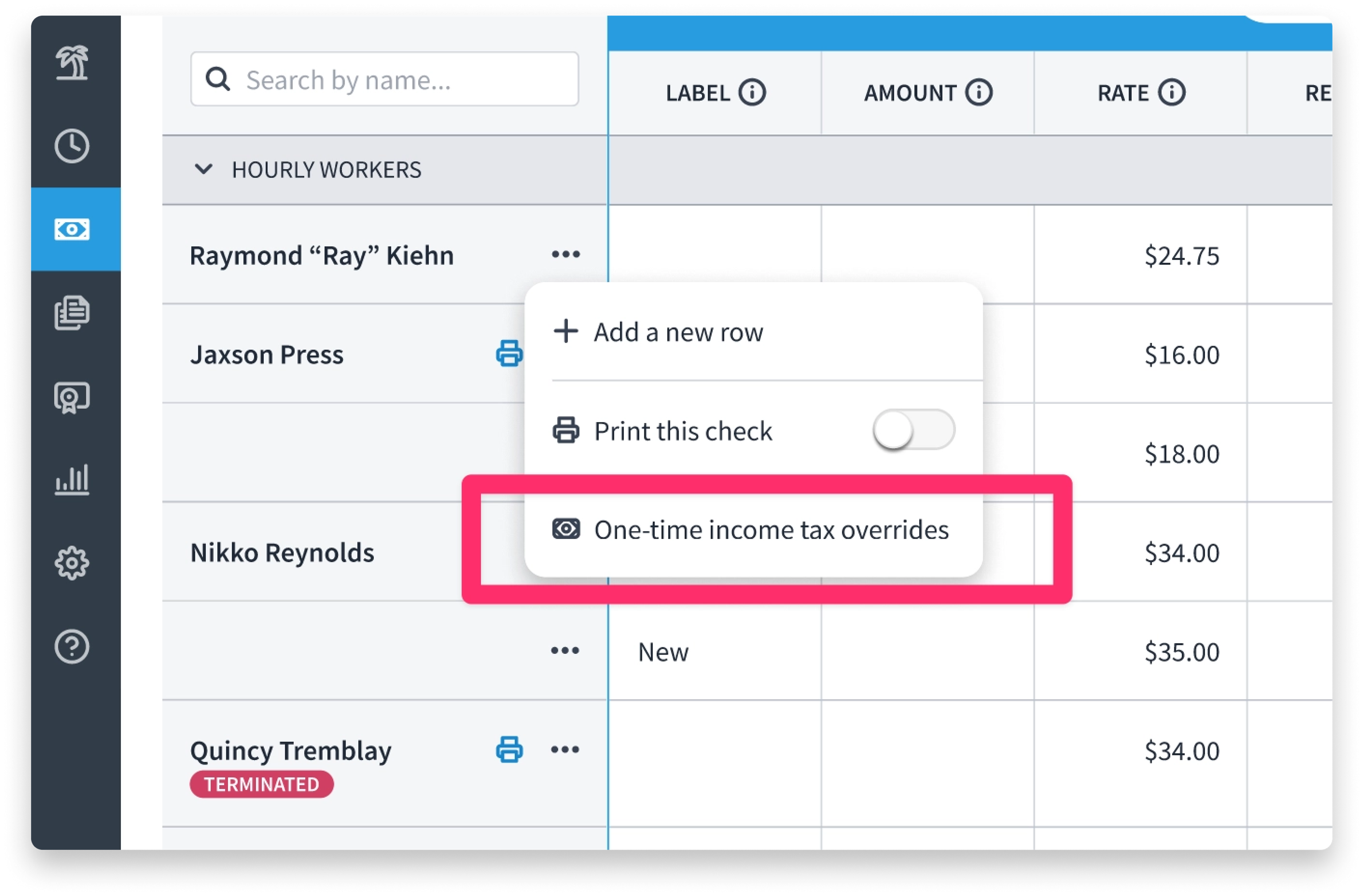
- Click the three-dot (...) menu next to their name.
- Select One-time income tax overrides.
For Federal income tax and each applicable state income tax, choose one option:
- Standard withholding (the default)
- Don't withhold
- Take a flat dollar amount — enter a dollar value (up to two decimals). The default when you select this is $0.00.
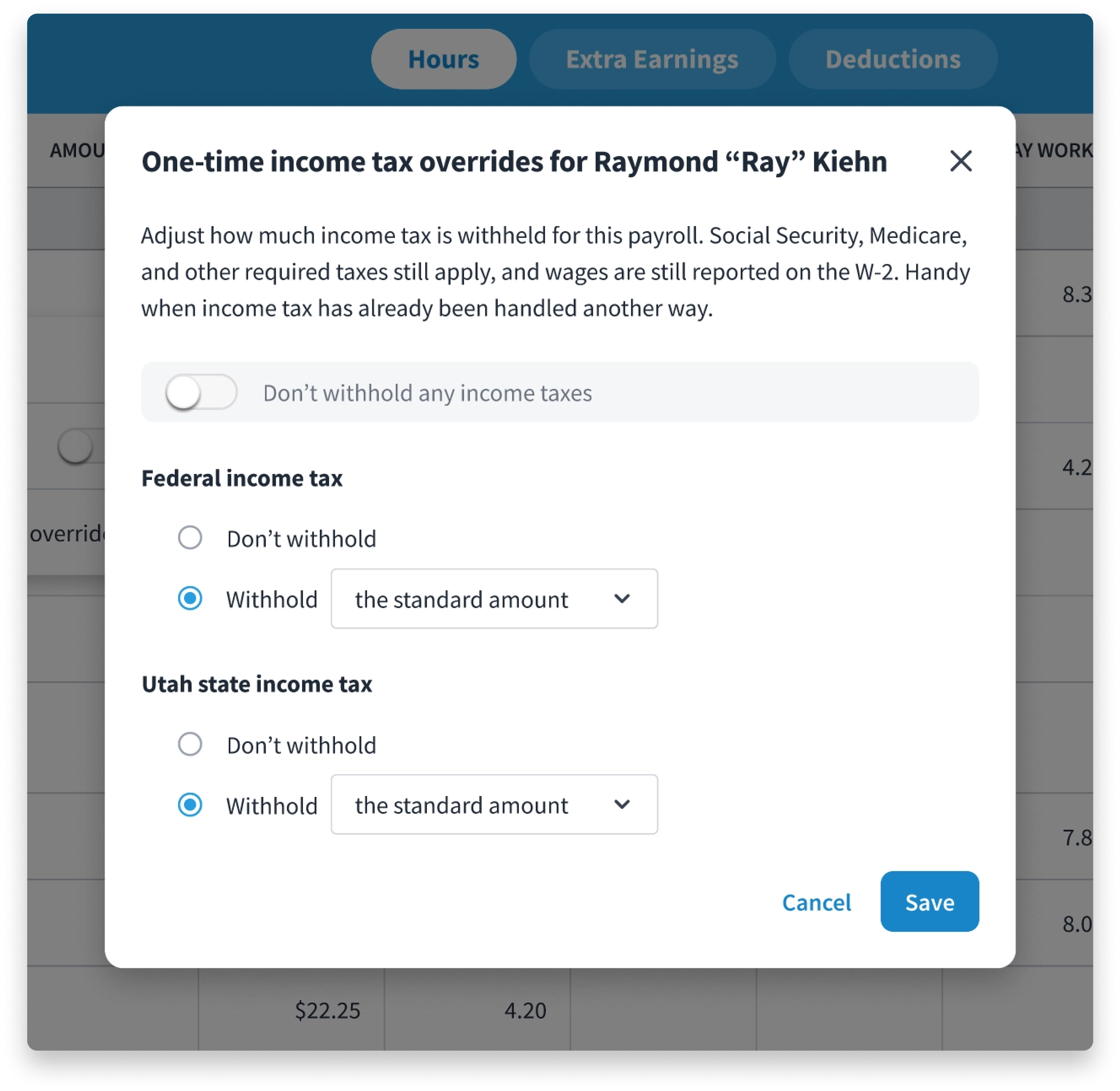
Click Save. By default, both federal and state are set to Standard withholding unless you change them.
View or edit an existing override
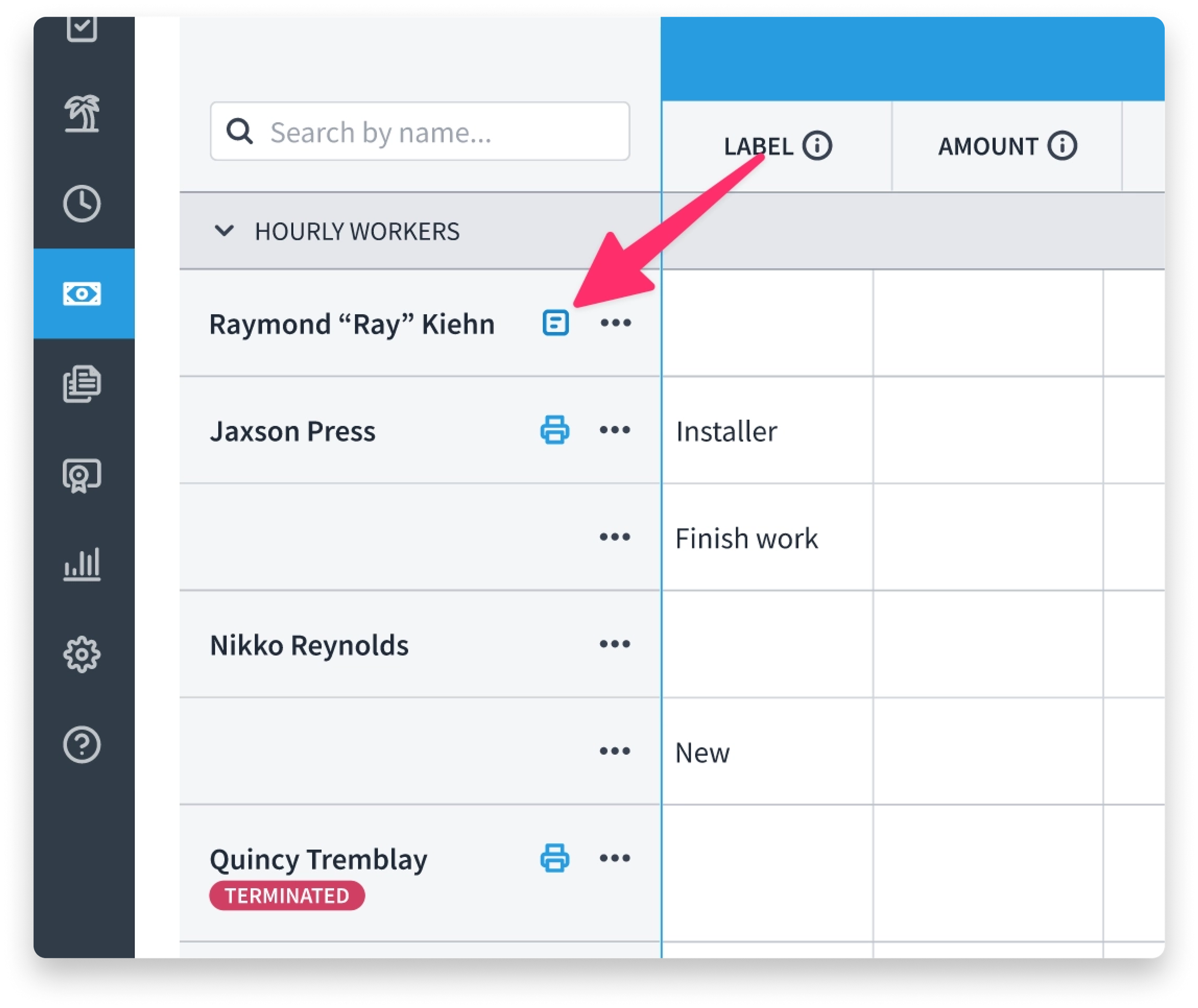
- When a worker has a one-time override in place, a note icon appears on their row.
- Click the note icon to open the tooltip, then click View overrides to reopen the edit dialog.
Multiple states and states with no income tax
- If an employee has income tax in more than one state, each state appears as its own section in the dialog.
- If a state has no income tax, you'll see a message such as "[State] has no state income tax" in place of the withholding options.
FAQ
Does this affect Social Security or Medicare? No. Only federal and state income tax withholding is affected. Social Security, Medicare, and other required taxes are still withheld.
Are wages still reported on the W-2? Yes. The wages are still reported normally—only the income tax withholding changes.
Which taxes can I override? Only Federal Income Tax and State Income Taxes. FICA, FUTA, SUI, and local taxes can't be overridden.
Is a worker-level override permanent? No. It's a one-time override that applies only to that payroll.
Can I withhold a specific dollar amount instead of blocking withholding entirely? Yes. Choose Take a flat dollar amount and enter the dollar value (up to two decimals).
Related articles
Was this article helpful?