How to use Indeed Apply with Eddy
Indeed Apply is always on for Eddy customers. When you publish a job in Eddy, it's automatically distributed to Indeed, and applications flow straight into your Eddy hiring pipeline.
Who can use this feature?
Available with Hiring plan
Indeed Apply lets candidates apply to your Eddy jobs directly on Indeed, with their applications flowing automatically into Eddy's applicant tracking system. Indeed Apply is always on for Eddy customers — there's no setting to turn on or off. When you publish a job in Eddy, it's automatically distributed to Indeed with Indeed Apply enabled.
Before You Begin
- You have a job posting created in Eddy that you're ready to publish.
- You are a Hiring admin in Eddy, which lets you create and publish job postings.
- There's nothing to enable on the Indeed side — Indeed Apply is on by default for all Eddy customers.
- An Indeed Employer Account and a claimed company page are optional but recommended. They aren't required for your job to reach Indeed, but they help with your visibility and presence on Indeed.
How Indeed Apply works in Eddy
1. Create your job posting in Eddy. Fill in the job details as usual under the Hiring tab.
2. Publish the job publicly. Publishing the job publicly is what makes it eligible for distribution to Indeed.
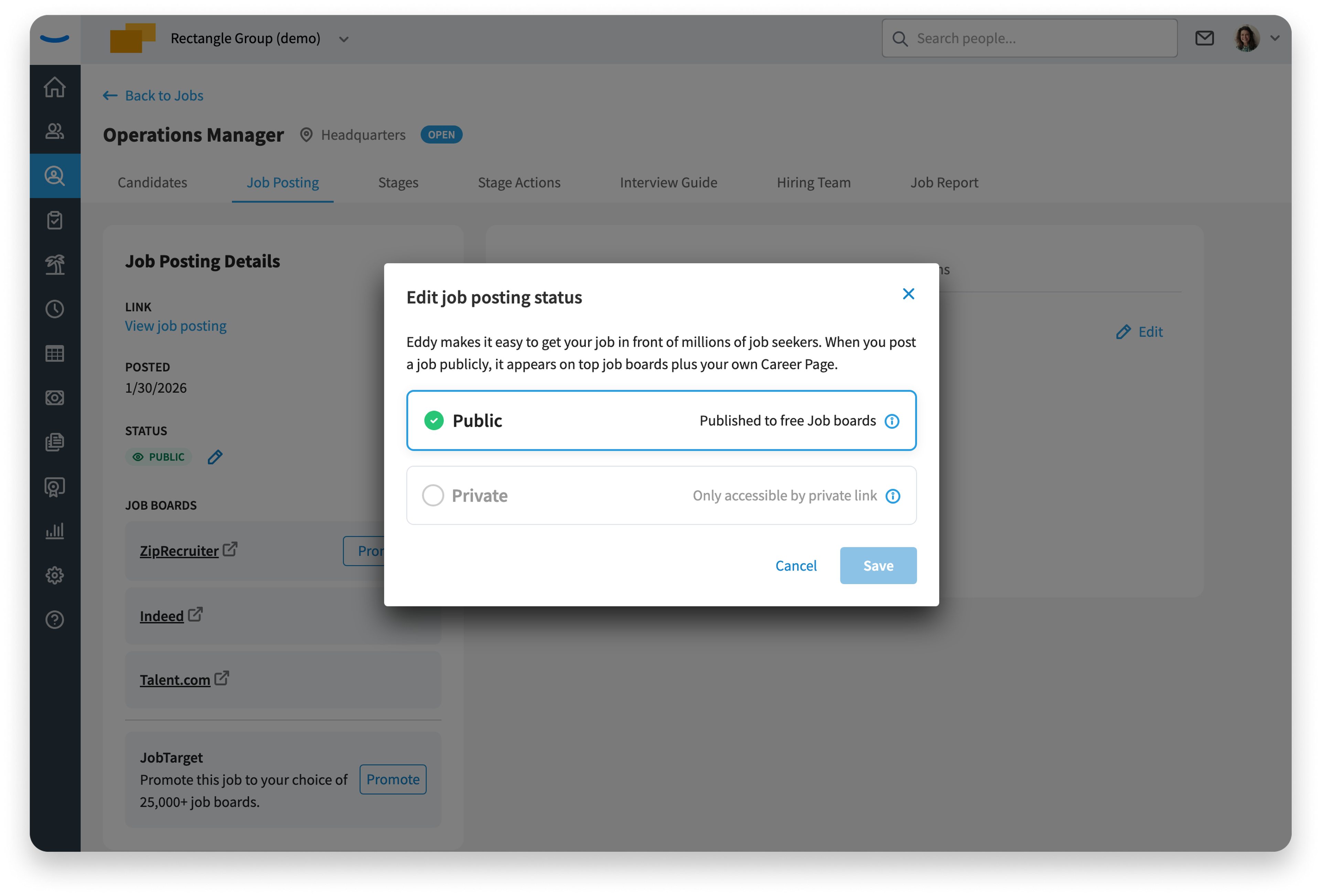
3. Eddy distributes the job to Indeed automatically, with Indeed Apply attached. You don't post the job on Indeed yourself. Your job typically appears on Indeed within 4–6 hours of being published.
That's the entire setup. From here, candidates apply through Indeed and their applications come to you in Eddy.
What to expect once your job is live
- Candidates can apply to your posting directly on Indeed using Indeed Apply.
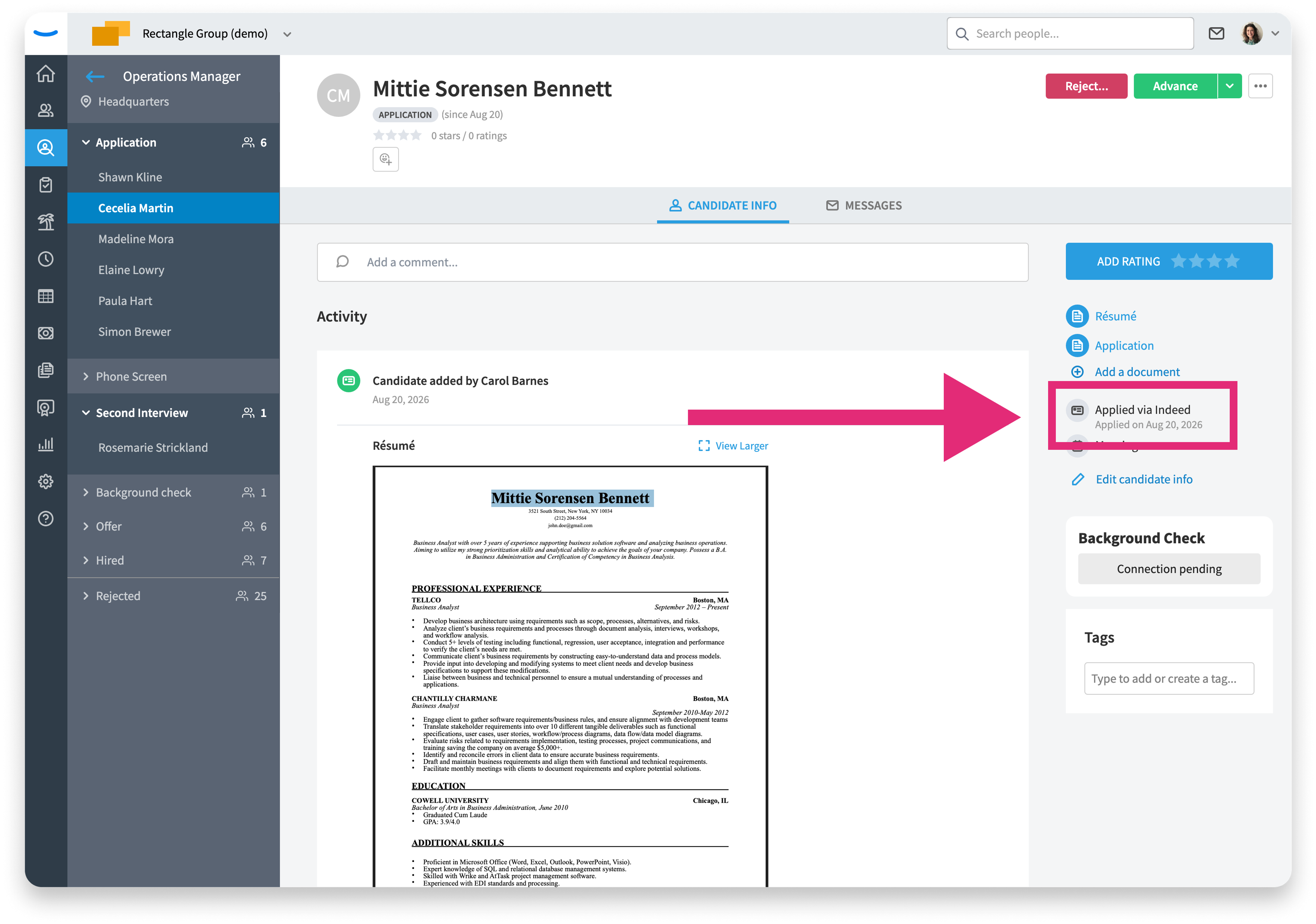
- Their applications land in Eddy's applicant tracking system automatically, in the Application stage of your hiring pipeline.
- Applications that came through Indeed are tagged as sourced from Indeed, so you can see where each candidate came from.
Frequently Asked Questions
Do I need to turn on Indeed Apply? No. Indeed Apply is always on for Eddy customers. There's no setting in Eddy to enable or disable it.
How does my job get onto Indeed? Automatically. When you publish a job in Eddy, Eddy distributes it to Indeed for you — you don't need to post it on Indeed separately.
Where do Indeed applications show up in Eddy? In your Eddy hiring pipeline, in the Application stage. Applications that came through Indeed are tagged as sourced from Indeed.
Do I have to post the job on Indeed myself? No. Publishing the job in Eddy is all that's needed — distribution to Indeed happens automatically.
Was this article helpful?