How to move a person from employee to contractor
When it comes to HR and payroll, contractors differ from employees in very significant ways—primarily in tax withholding and reporting. Employees have federal and state income taxes, Social Security, and Medicare taxes withheld from their paychecks. However contractors manage their own taxes, with businesses only reporting payments made to them on a 1099 form.
For these reasons Eddy requires that the transition of a contractor to employee follow a process that allows the company to collect the employee info that is required for payroll. This process involves terminating the worker's contract and hiring the worker as an employee.
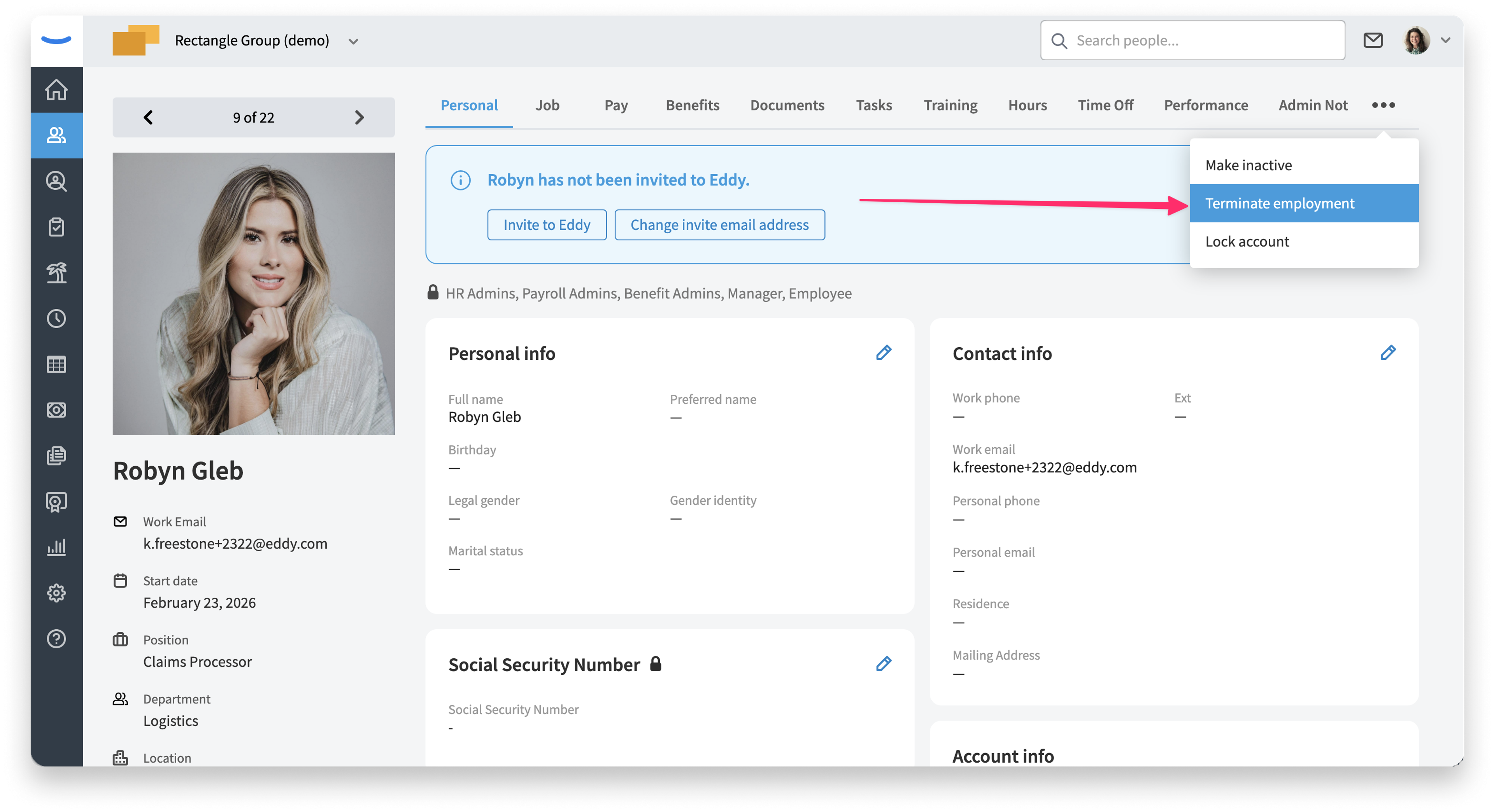
Step 1: Terminate employee's employment
The first step to move a person from employee to contractor is to end the person's employment. This is done on the employee profile page. In the top right corner the 3-dot menu shows an option to terminate employment.
Step 2: Re-Hire person as a contractor
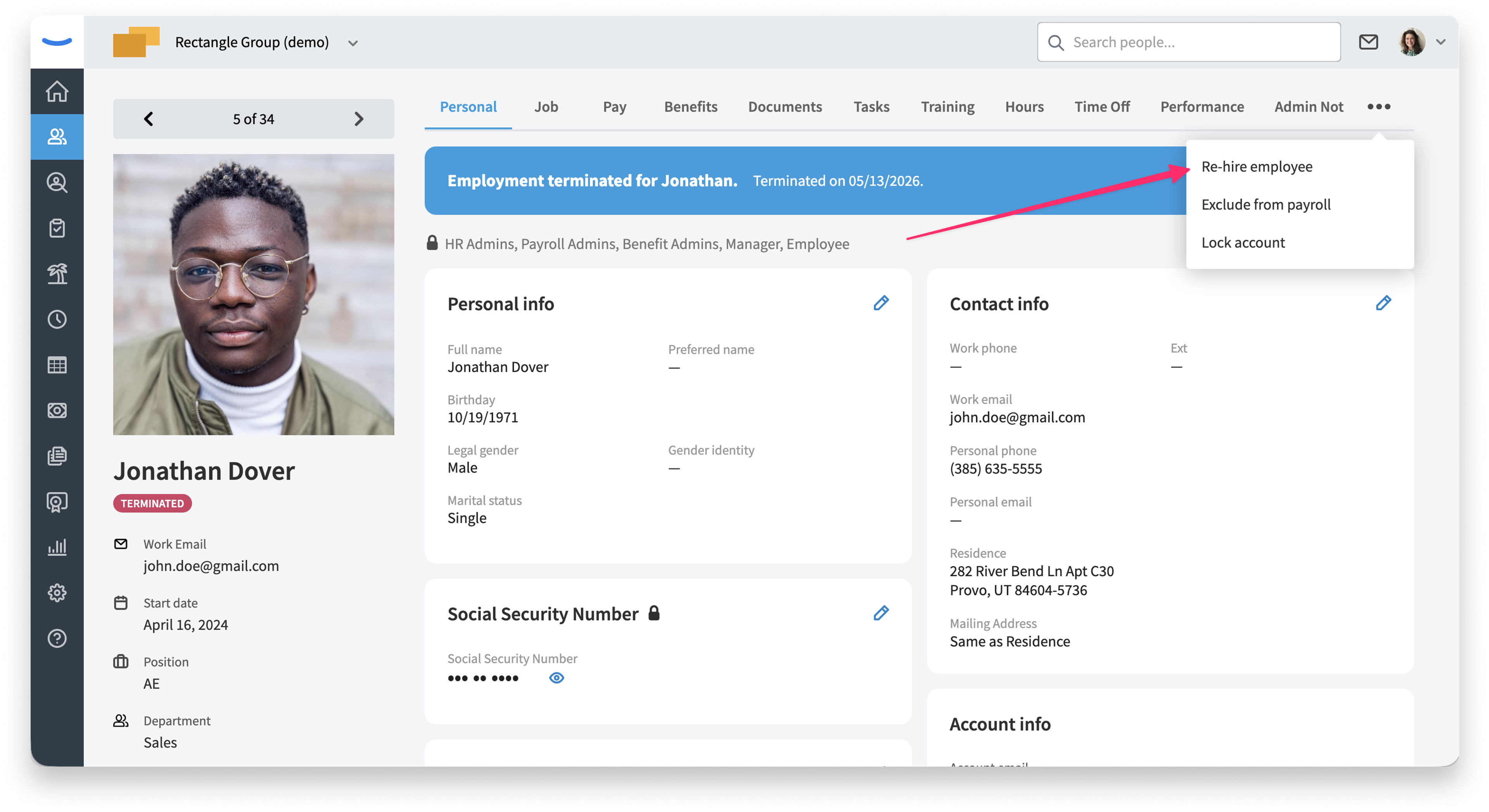
The next step is to hire the person as an employee. This is also done from the profile page using the same 3-dot menu. You'll see an option to Re-hire employee.
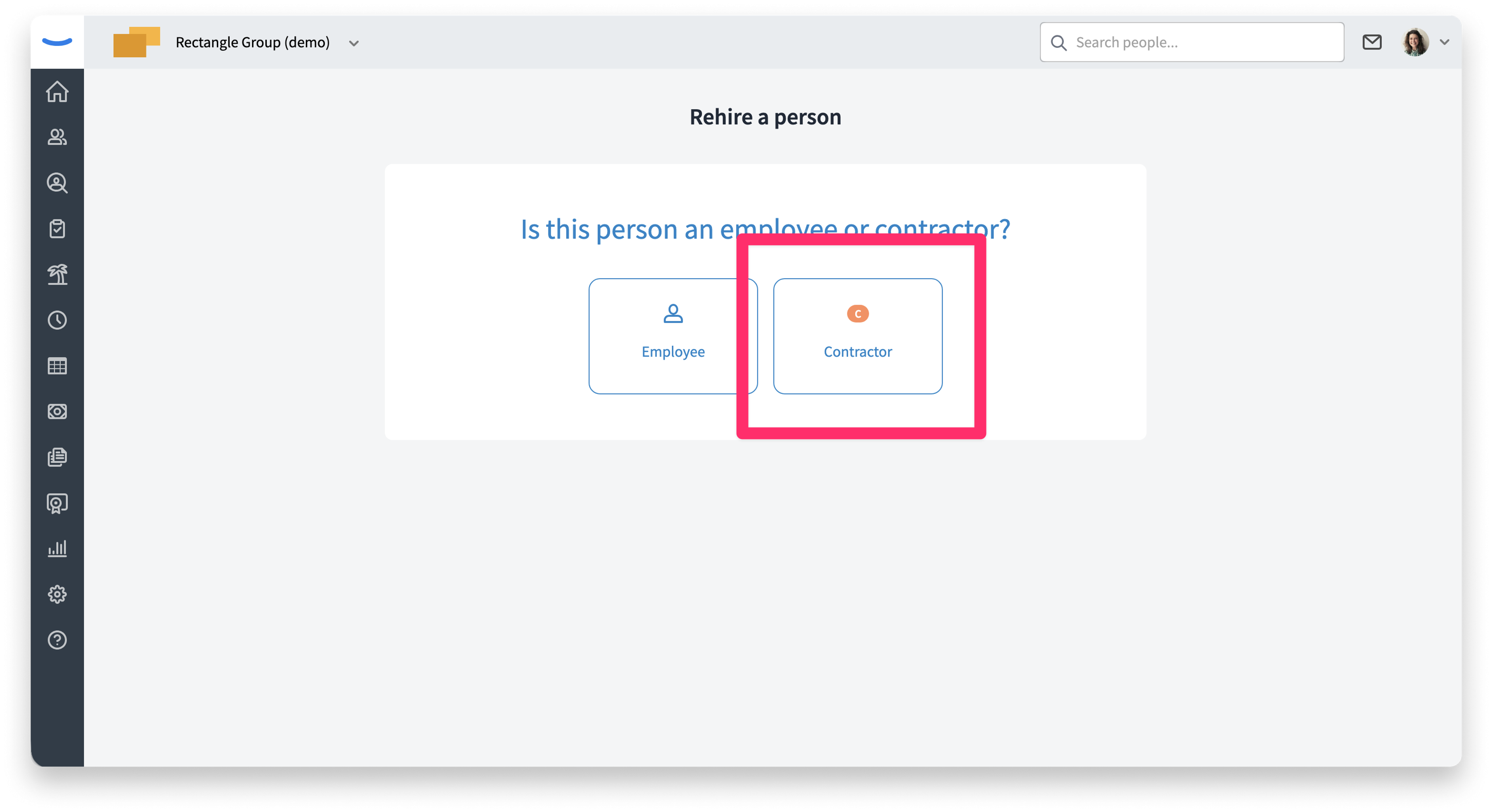
On the following page we'll ask if the person should be re-hired as an employee or a contractor.
When you re-hire the worker as an contractor we will help you gather required information.
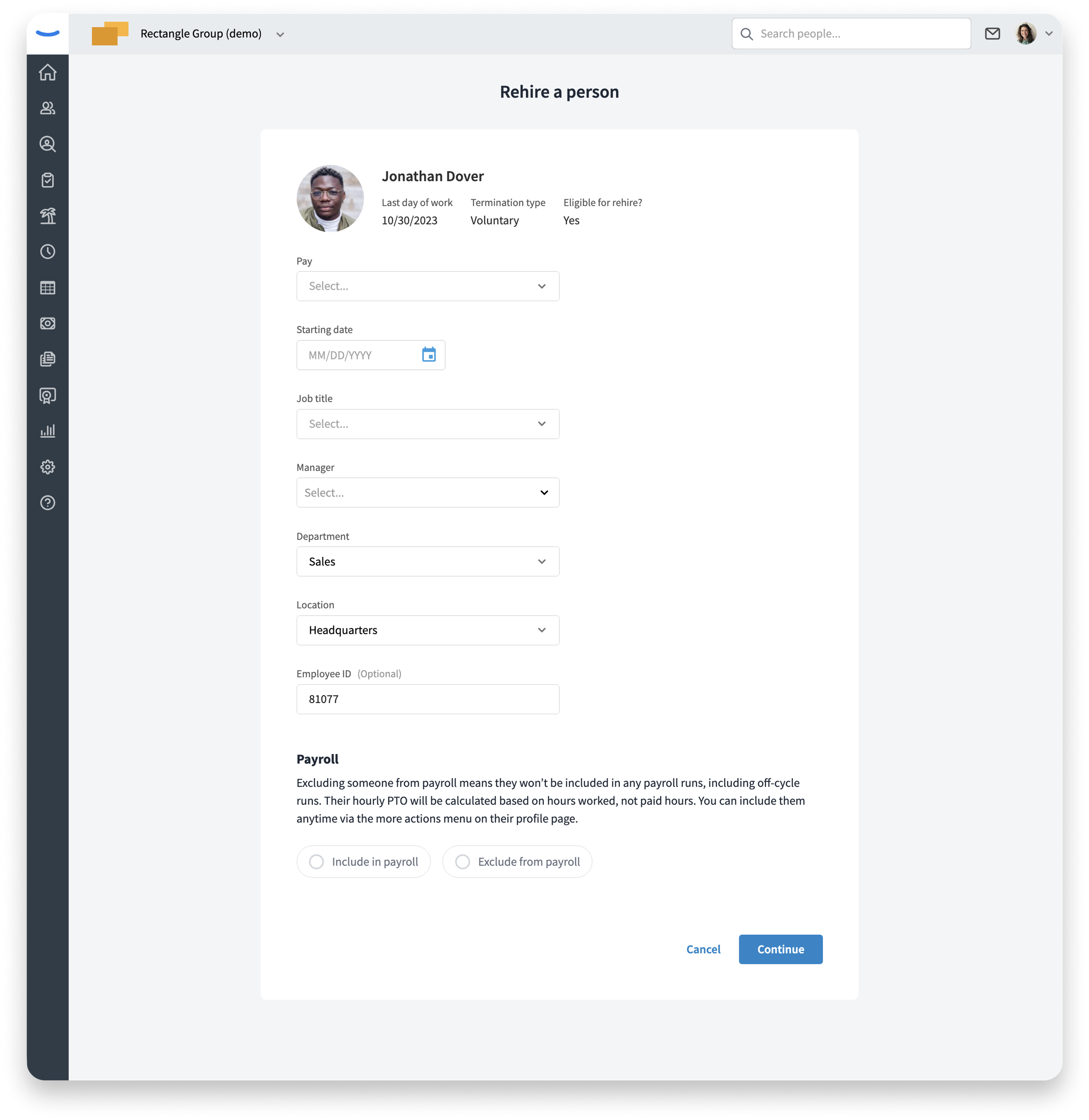
When the worker signs in to their Eddy account we will prompt them to add any additional missing info such as completing withholding forms.
Was this article helpful?